

Writing hundreds of blogs is pointless if they aren't discovered. The easier Google finds you, the better the chance of getting your desired rank. Make Sense?
This is why you must fix crawlability problems as soon as you see them. Crawlability problems can cause search engines to fail at crawling and indexing website content.
This article will cover 8 crawlability problems preventing your content from getting the maximum results.
Moreover, we will also share why these problems make sense and how you can fix these problems.
Alright, let's get started!
1. Crawlability Problems Related To Robots.txt
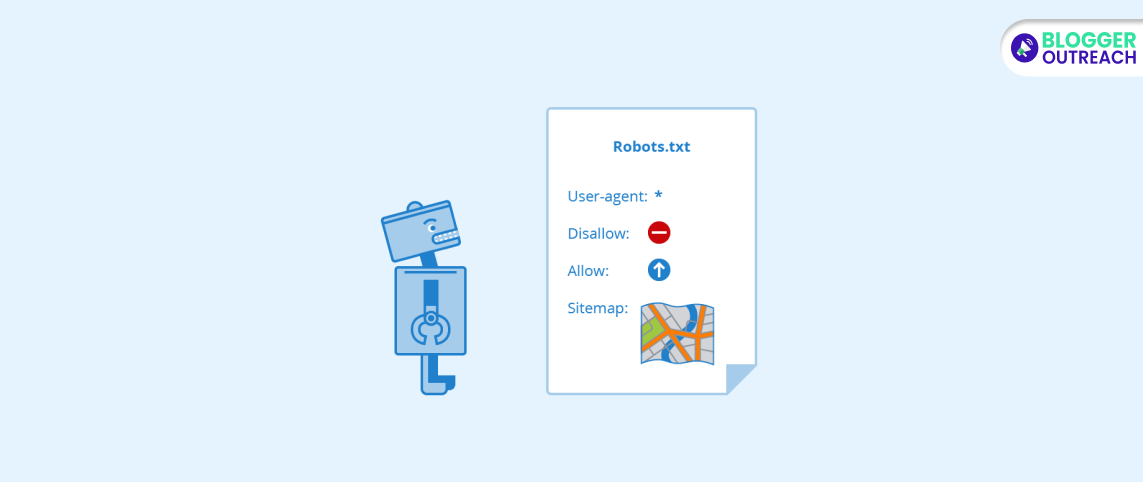
One of the most common crawlability problems you might face is related to Robots.txt. This could prevent search engine crawlers from accessing specific pages or directories.
(i) Why It Matters
Search engine crawlers are hindered from finding important pages when encountering a robots.txt file. This issue can hinder the indexing of your content.
(ii) Solutions
To resolve this issue, start by examining your website's robots.txt file. Ensure that it is not unintentionally blocking important content. Customize the access permissions for crucial pages or directories as necessary.
Next, use Google's Robots.txt tester. Google Search Console provides a robots.txt tester tool to help you identify and test issues with your robots.txt file.
If necessary, modify your robots.txt file to allow search engines to crawl important pages and directories.
Keep an eye on your robots.txt file as your website changes. Update it accordingly to ensure optimal crawlability.
2. Be Careful About No Index Tags

Your website may have a "noindex" tag issue, which tells search engines not to index specific pages.
Why It Matters
Refrain from using "noindex" tags on important pages. This hampers search engines to show them in search results. In turn, it can hurt your site's visibility and traffic.
Solutions
To fix this problem, inspect your website's HTML code for the "noindex" tag and remove it from the pages you want to be indexed.
Once identified, remove the "noindex" tag from pages that search engines should index.
Continuously check your pages, especially after updates, to ensure the "noindex" tag is appropriately used.
3. URLs Blocked In Webmaster Tools
GSC's Removals Tool often blocks out some URLs from your site manually. However, the Crawlability Issues occur when it reduces the crawlability and visibility of your search results.
What Does It Matter?
The blocked URLs often hinder content from appearing in search engine results, affecting traffic and visibility at once.
Solutions
To spot such issues, visit Google Search Console. Then, see the "Removals" section under the "Index" tab.
Check if you have any active requests. To solve such problems, you must cancel the outdated and inappropriate requests in the Removals tab. Finally, you can resubmit the URL for indexing.
4. Broken Links And Redirect Chains
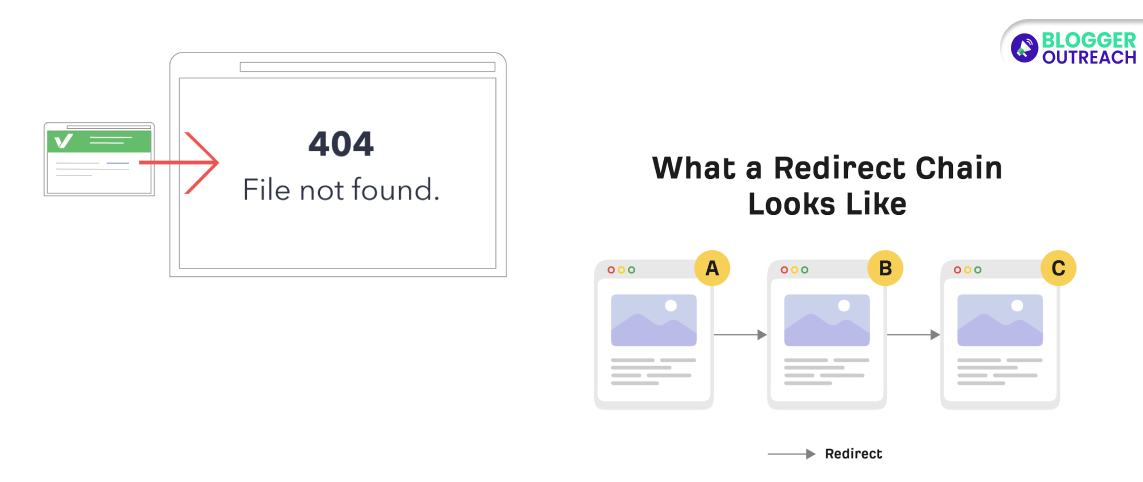
Crawlability mistakes related to broken links can disrupt crawling and hamper search engines from accessing your content.
Why It Matters
The broken links are harmful for crawling. It doesn't allow search engines to find your content. Therefore, the result is incomplete indexing with low search result visibility.
How To Fix It
Regularly check for broken links and promptly fix them. Minimize unnecessary redirects and keep them short. Periodically scan your website for broken links using tools like Screaming Frog or Google Search Console.
When you find broken links, fix them immediately by updating the link or removing it.
Minimize unnecessary redirects. Ensure each redirect is as short and direct as possible.
Update Internal Links. Update internal links to reflect your website's structure changes.
5. Slow Page Load Time
If you are struggling with crawlability problems, in the case of a Slow page, make sure you fix it right away. This loading frustrates search engine crawlers and impairs content indexing.
Why It Matters
When web pages load slowly, search engine crawlers may not index your content efficiently. This can lead to decreased search rankings and reduced organic traffic.
Common Mistakes To Avoid
Boost website performance by reducing image size, utilizing a content delivery network (CDN), and enhancing server response time.
Do not ignore server performance: A sluggish server hinders overall website speed.
Content delivery networks can distribute content globally, improving load times. So, leverage CDNs.
How To Fix It
Reduce image file sizes without compromising quality to speed up loading.
Use a content delivery network (CDN). Use a CDN to distribute content closer to users, reducing latency.
Server optimization is the key. Enhance server performance by reducing server response times and using reliable hosting.
Caching: Implement browser and server-side caching to store static resources, improving load times for returning visitors.
6. Duplicate Content
Duplicate content on your website can confuse search engines, causing indexing issues.
To tackle this problem, use canonical tags, maintain a proper URL structure, and consistently create unique, high-quality content.
Why It Matters
Duplicate content can befuddle search engines, resulting in ranking problems and potentially reduced organic traffic. Ensuring your website offers a clear and unique content landscape is crucial.
How To Fix It:
- Canonical Tags: Use canonical tags to indicate the primary version of a page, consolidating duplicate content.
- Clean URL Structure: Organize your URLs logically and consistently, avoiding unnecessary variations.
- Quality Content: Regularly produce unique, valuable content that sets your website apart.
- 301 Redirects: When merging or moving content, employ 301 redirects to direct search engines to the correct version.
7. JavaScript And AJAX Crawlability Problems
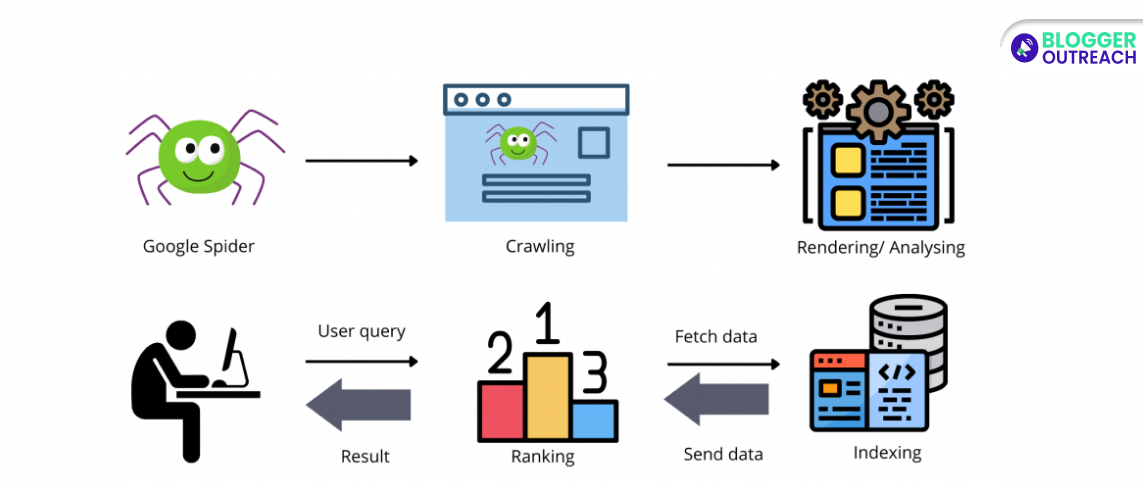
The search crawler finds it challenging to crawl content made with JavaScript and AJAX.
Why It Matters
JavaScript content can cause major accessibility issues. The worst part is that search engines won't index such content. It will impact your website's average visibility.
How To Fix It
To solve this issue, you can use the progressive enhancement tricks. One of the best tricks is server-side rendering of websites that use JavaScript profusely.
At the same time, ensure you create content without using JavaScript. Therefore, users and search engines can seamlessly access it.
You can also consider using SSR for the sites that heavily rely on JavaScript. This is a process of pre-rendering server pages, making it easy for crawlers to access them.
But it is more important to test your website regularly and ensure that all JavaScript-based content is properly indexed.
8. Crawlability Problems Related To XML Sitemap Error
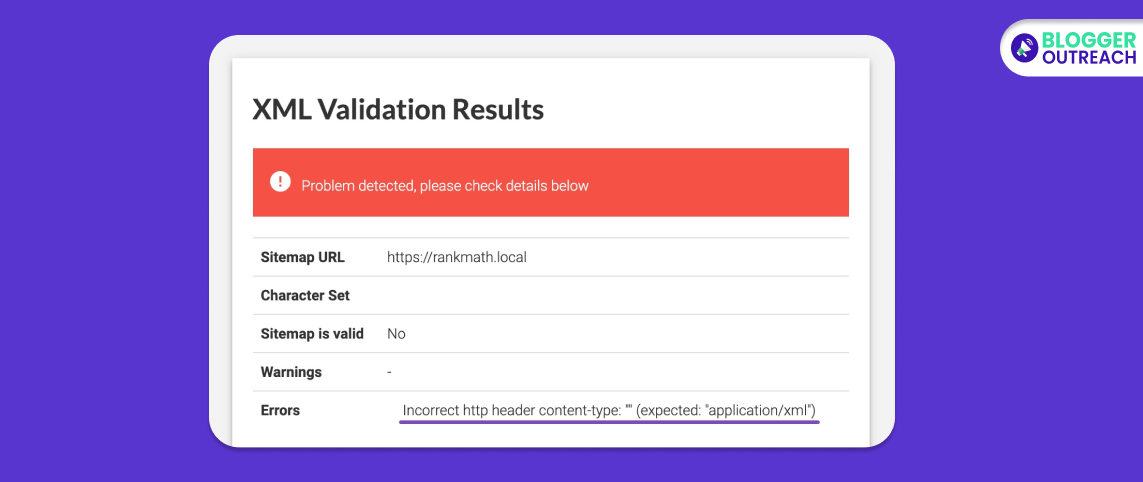
Errors in your XML sitemap can block search engines from discovering and indexing your web pages.
Why It Matters
An XML sitemap guides search engines, helping them locate and understand your website's content. The vital sitemap errors contribute to incomplete indexing and reduced search visibility. Most importantly, your search engine rankings take a backseat.
How To Fix It
Periodically review your XML sitemap to spot errors or inconsistencies. Secondly, ensure your XML sitemap reflects your current website structure and content. Promptly address any errors found to maintain an accurate sitemap.
9. Server (5xx) Errors
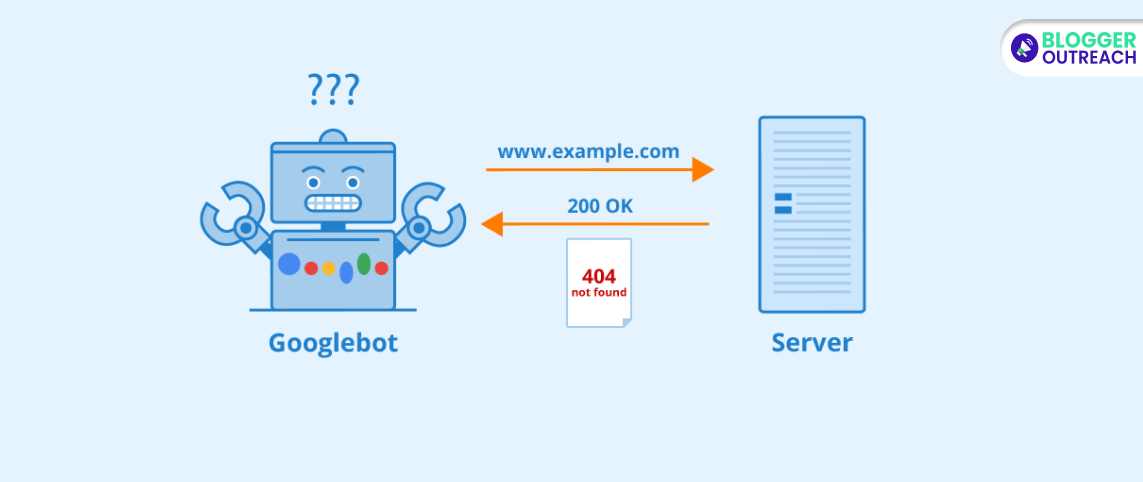
5xx errors are usually server issues, visible when the server cannot respond to search crawlers or users. Common error types of this category are 500, 502, 503, and 504.
Why does it matter?
When Google's crawler bot encounters such issues, the crawl frequency is significantly reduced. At one point, the crawling will stop. This reduces indexing and impacts your rankings negatively.
How To Fix It?
You can use Crawl stats from GSC to detect the proximity of 5xx errors. Hence, you can check the server logs related to timing and causes. It is best to use tools like Atlas Site Auditor that return 5xx status codes.
To fix this issue, you can partner with your hosting vendor to identify the underlying cause. The reason behind this might be server overload, database timeouts, and PHP misconfiguration.
10. Redirect Loops
The redirect loops appear when multiple URLs point to each other, creating an infinite loop. For example, page 1 loops you to page 2, which again loops you to page 1.
Why does it matter?
Such redirect loops can block the search engines and users from accessing their intended content. Crawlers deject pages absorbed in the loop completely. What users see is a browser error tag instead of quality content.
How to fix it?
To identify such loops, you have to follow specific steps. Ideally, you must use Search Atlas Site Auditor to find out the redirect chains. Next, you should scan for browser errors, indicated by tags like "ERR_TOO_MANY_REDIRECTS." Once detected, check for server logs or reports leading to redirected patterns.
11. Poor Website Architecture

Imagine your website structure as a pyramid. Ideally, all pages should be reachable within a few clicks from the homepage.
DISCLAIMER: If pages are buried under many layers of subfolders, search engines might miss them. This leads to crawlibity problems. Thus, fixing poor website architecture is crucial.
What does it matter?
The logic is simple. If search bots face difficulty in finding your content, they will not appear on search results. In such cases, ranking will become a daydream.
can hurt your search engine optimization (SEO) since search engines can't rank what they can't find.
How to fix it?
So, Here Is How To Fix Poor Site Architecture For Crawlability:
- Avoid inconsistent hierarchy. Instead, ensure a clear and logical website structure. Avoid categorizing and linking your pages which can confuse search engine crawlers.
- Flatten your site structure. Try to keep most pages within three to four clicks of the homepage.
- Fix broken links. Make sure all your internal links are pointing to valid pages.
- Develop your hierarchy properly. Then arrange your content under various categories in a logical manner. Finally, create a common link with them where the hierarchy between content is prominent.
- Ultimately, build a robust sitemap (It is a file that lists all the pages on your website and their relationships). This will help the crawl bots understand your site structure. Regarding the same, there are many tools available online.
12. Noindex’ Tags

First thing first, what are noindex tags?
Basically, noindex tags are a set of instructions placed on websites coded to instruct search engines not to index a specific page. As a result, the page will not appear in the search results.
Why does it matter?
It can be detrimental in the long run. How? If your website remains deindexed for a prolonged time, Google won't consider your page worthy of scrolling anymore. Google's default notion is that noindex tags are nofollow tags (when done for a longer period). Thus, if you want the page indexed later, search engines might not revisit it to check.
So, how to avoid crawlability errors with noindex tags?
Well, here are the solutions:
Firstly, use noindex strategically. Only use noindex tags on pages you truly don't want indexed, like login pages, thank you pages, or duplicate content.
Review your noindex tags regularly. Check if they are still necessary on the pages they're applied to. Remove them from any pages you want search engines to crawl and potentially index.
Lastly, use crawl tools to identify noindex issues. This can help you find and remove unnecessary noindex tags.
Perks Of Fixing Crawlability Issues
Now you know the top 8 crawl errors and how to fix crawl errors. To summarize, fix these crawlability errors as soon as possible. This will not only improve your rankings but also your site's health.
When you avoid doing the same, you end up receiving improved results.
If you need any help, do let us know. Further, if you want a team of experts to help you and guide you throughout your journey, feel free to contact us.