

Today, the ease of access to smartphones means that whenever you need information, you can just look it up online. Now, in this process, you are not just searching for a ‘blue link’ to get information from, but you are looking for proof, proof of what’s real, known, and trustworthy.
That is where the Google Knowledge Panel quietly changes the whole game. It helps your brand appear as a recognized entity and not just another website, reinforcing its reputation. So, if you are wondering how to get a Google Knowledge Panel for your brand, then it's important to understand that the work starts much earlier than hitting the claim button.
What Is A Google Knowledge Panel And Why Does It Matter?
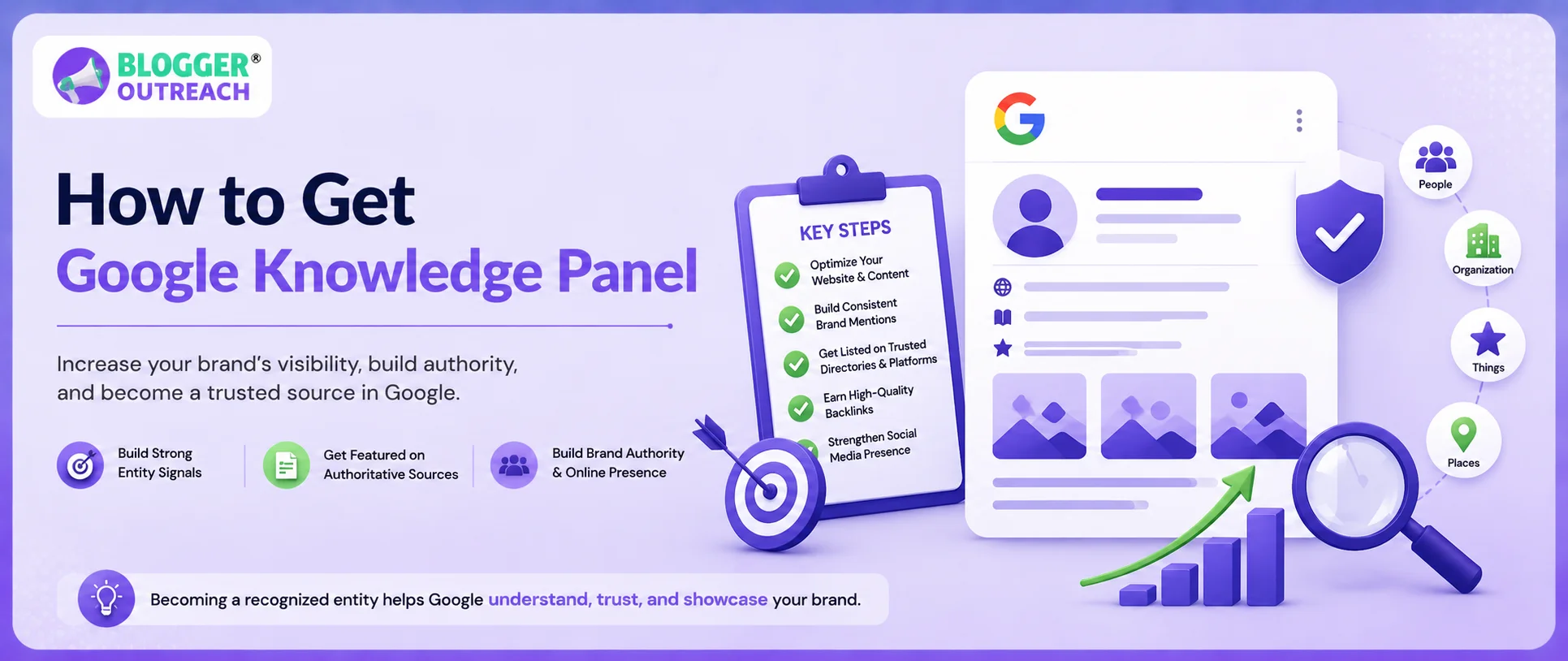
A Google Knowledge Panel is a part of Google’s Knowledge Graph that usually appears on the right side of desktop search results or near the top on mobile searches. Now, for brands, this section usually includes key details such as the logo, website, social profiles, founder details, industry, customer service data, business type, etc.
Now, the question is, why is this section so important?
Well, Here Are Some Prominent Reasons:
- Credibility, Almost Instantly: If Google gives your brand a dedicated panel, users are more likely to see it as legitimate. Not because the panel proves everything, but because it signals that Google recognizes the brand as an entity.
- Fewer Unnecessary Clicks: People can find your website, contact details, social profiles, founder information, and other basics directly from search. Quick. Convenient. No digging.
- More Visibility On Branded Searches: The panel occupies a high-attention area of the SERP. That extra space can improve recognition and make your brand look more established.
- Better Control Over What People See: After claiming the panel, you can suggest updates to images, descriptions, and social links. You still do not control everything, but you get a stronger say in how your brand appears.
- Stronger Fit For AI-led Search: Voice assistants, mobile search, and AI-generated answers depend heavily on structured, entity-level information. A Knowledge Panel helps place your brand inside that ecosystem.
Now, here’s where many people get confused. They assume that if a website has structured data, or if Google can pull a featured snippet from a page, then a Knowledge Panel is just another search feature.
It Isn’t. Because:
- A featured snippet is there to answer something.
- A Knowledge Panel is there to identify something.
That ‘something’ could be a person, company, organization, place, product, or brand. In this case, your business.
So, the value is different. A featured snippet might help you win visibility for a specific question. For example, ‘how does X work?’ or ‘what is Y?’
But a Knowledge Panel helps Google connect your brand to a larger identity. Your official website, its logo, social media profiles, business category, and public reputation signals.
In Simple Terms:
- A featured snippet says, ‘Here is an answer’
- A Knowledge Panel says, ‘This is the entity’
And for a brand, that difference matters a lot.
Because users are not just looking for information. They are also trying to decide whether your company looks credible enough to trust. A Knowledge Panel supports that first impression. It gives your brand more space on the results page, makes your identity clearer, and reduces the chance of users relying on scattered or outdated third-party information.
That is why it is more than an SEO asset. It is a brand asset.
The Major Differences Between Featured Snippet And Google Knowledge Panel
| Feature | Google Knowledge Panel | Featured Snippet |
| Main purpose | Identifies an entity | Answers a search question |
| Source type | Multiple verified sources | Usually one webpage |
| Best for | Brands, people, companies, organizations | Informational queries |
| Control level | Limited, but claimable if eligible | Influenced by content optimization |
| SEO value | Brand trust and visibility | Organic traffic and topical authority |
Checklist: How To Be Eligible For The Google Knowledge Panel
To be eligible, you need to fulfill the core knowledge panel requirements. This includes:
(i) Establishing A Strong Brand Identity
The first point on the checklist is to create a strong brand identity. For that, you need to start with the basic identity work,
Which Includes:
- Defining your official brand name.
- The legal name, if it is different.
- Brand tagline, logo, founding date, and leadership team.
- The business category and primary market.
While this sounds quite obvious, most businesses stumble here. Their LinkedIn says one thing, Crunchbase says another, and the website conveys a completely different message. And Google does not value this.
So, your brand entity checklist must include a single, consistent description that will appear across all platforms. This includes the website, social profiles, business directories, PR boilerplates, and author bios.
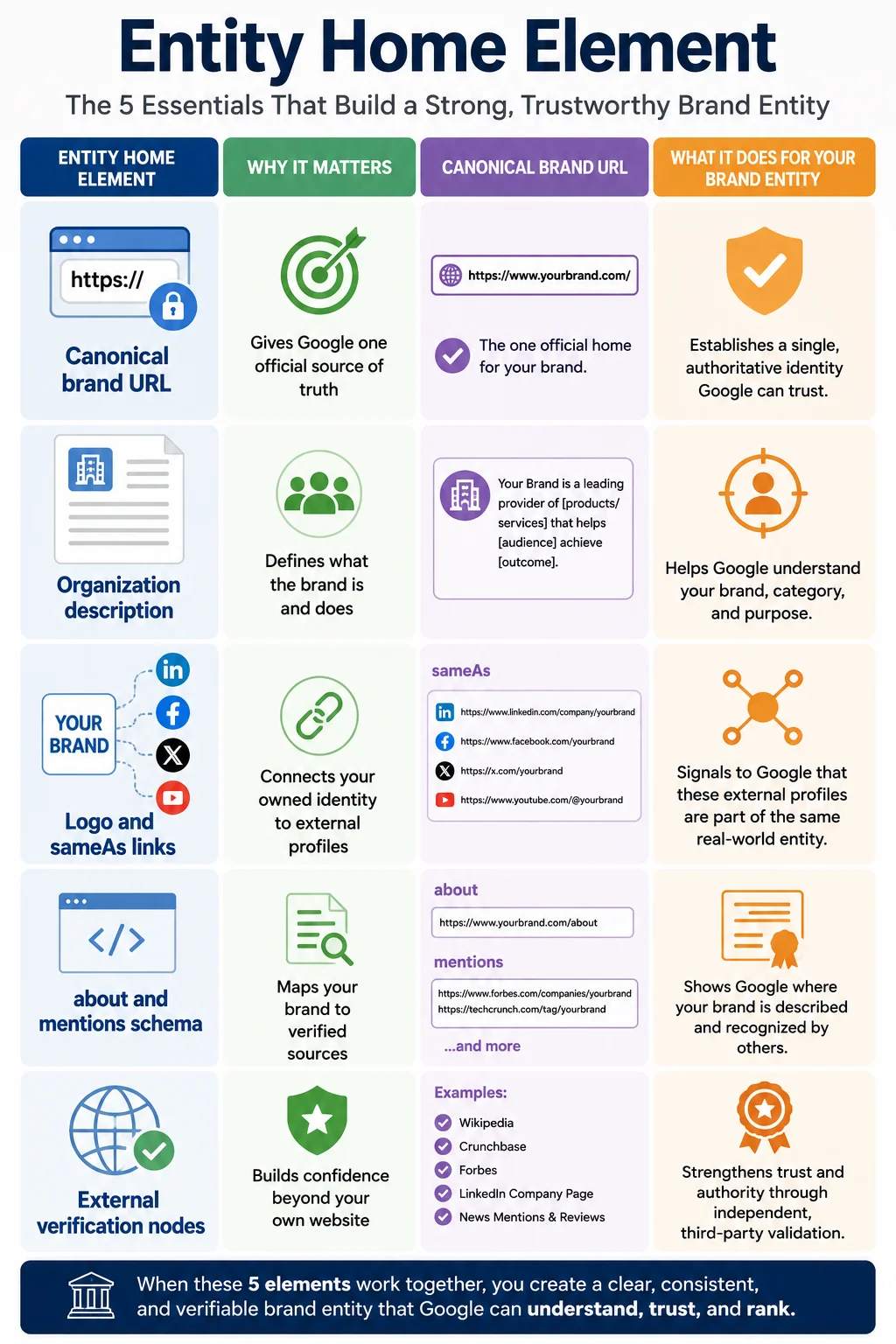
(ii) Turning The ‘About Us’ Page Into An Entity Home
You will hear experts saying, Create a strong ‘About Us’ page. But in most cases, that is not enough because your brand needs more. It requires an entity home, which is the single Canonical URL where your brand definition lives. It means, if Google wants to know who you are, this is the page that answers without fluff.
Now, an Entity Home must include your official name, logo, description, founding details, leadership, contact information, social links, and references to trusted external profiles. Additionally, you must use advanced about and mentions schema to connect your page to third-party verification nodes such as Wikidata, Crunchbase, government registration databases, industry directories, and major media mentions.
(iii) Creating A High-Authority Website
Next, building a high-quality website is important to create a Google knowledge panel. Now, a key point to remember here is that the website doesn’t need to be beautiful in an award-winning way; it just has to be trustworthy.
Just ensure that your business site has a professional domain, modern security, quick-loading pages, clear navigation, and a mobile-friendly layout, mean the website offers a better experience. Also, when it contains high-quality content across different pages, clear contact information, a privacy policy, etc., it acts as a trust signal, and Google uses it to determine whether a brand deserves entity-level treatment.
(iv) Implementing Schema Markup For Knowledge Panel
Structured data helps search engine bots understand what the website is about, without any guesses. A good schema for knowledge panel eligibility does not force Google to create anything and reduces confusion. So, for brands, this is a good starting point. Additionally, you can focus on using the JSON-LD format for schema because it is cleaner and easier to manage.
Apart from this, alignment is also critical. Your schema should match your visible page content and your external profiles. If your schema says one thing and your About page says another, it will lead to confusion that you don't want.
(v) Building Social Profiles
The next point on this checklist for how to get a Google Knowledge Panel is building your business’s social profiles. It is critical to ensure that your social media profiles align with the broader brand identity and voice.
So, LinkedIn, X, Instagram, YouTube, Facebook, and other relevant platforms should use the same brand name, logo, description, website URL, and contact details.
Consistency across these profiles helps Google verify your entity and strengthen its understanding within the Google Knowledge Graph. Otherwise, inconsistent information can reduce trust in the brand and weaken entity recognition.
(vi) Securing Coverage From High-Authority Websites
Self-published content always has limits. You can always publish as many blogs as you want, and it boosts topical authority, no doubt, but notability comes from independent sources. For instance, editorial mentions, interviews, news coverage, industry reports, podcast features, rankings, and expert roundups all help Google understand that other people recognize your brand. This is where blogger outreach, digital PR, and thought leadership come in handy.
The trick, however, is relevance. A mention on a respected industry blog can be more useful and improve Google entity eligibility than a random high-domain site that has nothing to do with your sector. Because Google is not just counting links like loose coins on a table, it is reading the context.
(vii) Maintaining Consistent NAP Or Brand Data
NAP (name, address, and phone number) consistency still matters, particularly for local and service-based businesses. But NAP is only the beginning, as brand data also includes the logo, website URL, founding year, executive names, business category, social handles, and a short description. If these details vary across directories, Google may merge, split, or misread your entity.
Uphold Business Reputation With Google Knowledge Panel
Just knowing how to get a Google Knowledge Panel is not enough. Entity drift occurs when Google starts mixing your brand details with those of another company, competitor, founder, product, or an outdated profile. It is more common with generic brand names, rebrands, mergers, and companies operating in crowded categories. One wrong logo or wrong description can sit there for months if nobody is watching.
So, the ideal way forward is to monitor Google Search Console for sudden changes in branded impressions, clicks, and query patterns. If users begin searching your brand with terms like “scam,” “wrong company,” or competitor modifiers, investigate quickly.
Supporting your entity presence through accurate brand information, authoritative mentions, and relevant Wikipedia services (where eligibility requirements are genuinely met) can also help strengthen brand trust signals. Because semantic health is not vanity tracking—it is identity maintenance.
Frequently Asked Questions:
A: Your Google Knowledge Panel disappeared after a few weeks because Google’s systems continuously re-evaluate entity confidence. And if the sources supporting your panel become inconsistent or don’t provide enough confirmation, Google usually removes or changes the panel.
A: A Google Business Profile primarily focuses on enhancing presence across maps, reviews, and local searches. The Knowledge Panel, on the other hand, is a broader entity recognition in Google Search. Local brands often need both because GBP supports location trust while the Knowledge Panel supports brand identity. But, at times, they overlap visually, which creates confusion.
A: Yes. Your brand can get a Google Knowledge Panel even without a Wikipedia page. Having a Wikipedia is not mandatory, as many brands can build an entity through Wikidata, Crunchbase, government records, industry databases, authoritative media mentions, social verification, and consistent schema. Wikipedia strengthens your case when it is genuinely earned, but forcing it too early can backfire, as promotional or weak pages are often deleted.
A: Even if you cannot claim the panel, you can fix the wrong information by fixing the official sources that Google is using. Start by updating your entity home, schema, social profiles, repository sites, etc. Then strengthen the correct facts through fresh mentions and consistent references. If the claim option appears later, use it. Until then, fix the source layer.
A: If there is no claim button, Google may not yet consider the panel claimable for your entity type, or it may not have verified enough ownership connections. To fix it, improve your official website links, social profile links, Search Console setup, and structured data, and then keep monitoring. The button may appear once Google has stronger confidence.