


SEO Meta in 1 Click is a Chrome extension that makes it simple to inspect SEO-related metadata and copy it with just one click.
With This Extension, You Can Easily Check:
- META information
- Headings
- Images
- Links
- Structured markup such as JSON-LD, Microdata, and RDFa
- Additionally, you can quickly copy information in either Markdown or tab format
Let's closely examine each feature of this extension to assess its effectiveness.
Table Of Content
1. Benefits of Choosing SEO Meta in 1 Click Extension.
2. How do you install SEO Meta in 1 click?
3. What are the features of SEO Meta in 1 Click?
- Summary
- Headers
- Images
- Links
- Social
- Tools
4. Who should use SEO Meta in 1 Click?
5. How to use this extension?
Okay, let’s begin!
Why Use SEO Meta In 1 Click Extension?

Basically, this extension provides quick access to meta information of web pages for SEO.
Want To Know The Benefits In Detail? Well, Here You Go:
- Meta Tag Analysis: With this extension, you can quickly scan a webpage's meta tags and presents them concisely. This includes meta title, meta description, meta keywords (though less relevant now), and other meta tags such as robots meta tags.
- Instant Insights: You can click on the extension icon in your browser toolbar to instantly view the meta information of the webpage you are currently on (without needing to view the page source or inspect elements).
- SEO Recommendations: Some advanced extensions may offer recommendations based on the meta tags analyzed. For example, if the meta description is too long or too short, the extension might suggest optimizing it for better click-through rates.
- Other SEO Elements: Beyond meta tags, this extension might also provide insights into other SEO elements on the page, such as headings (H1, H2, etc.), image alt attributes, canonical tags, and more.
- Customization Options: You can customize the extension's behavior according to your preferences, such as choosing which meta tags to prioritize or exclude from the analysis.
Importantly, popular browsers like Google Chrome, Mozilla Firefox, and Microsoft Edge typically support extensions.
How Do You Install SEO Meta 1 In Click?
It only takes a few clicks.
First, go to SEO Meta 1 in Click, which will be similar to this:
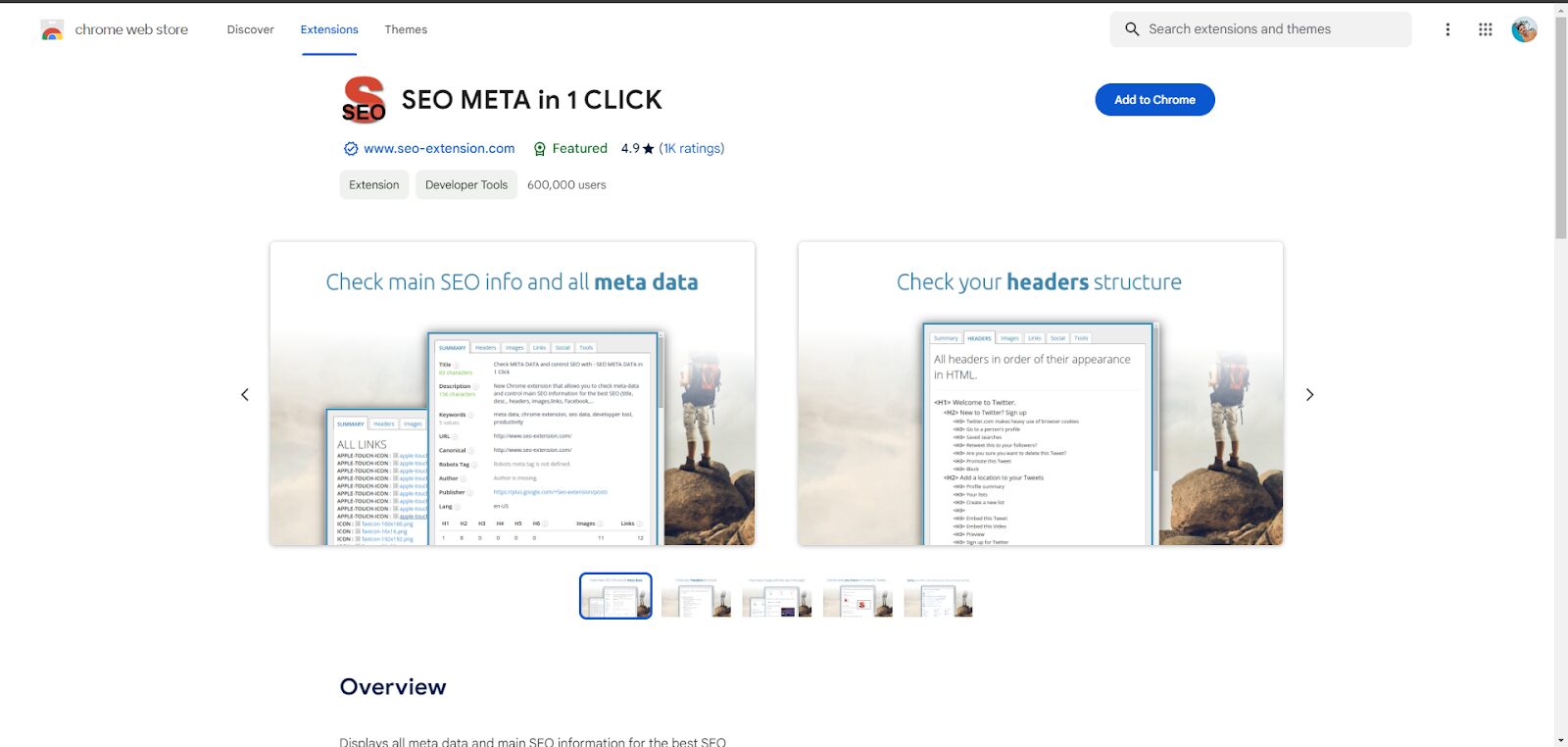
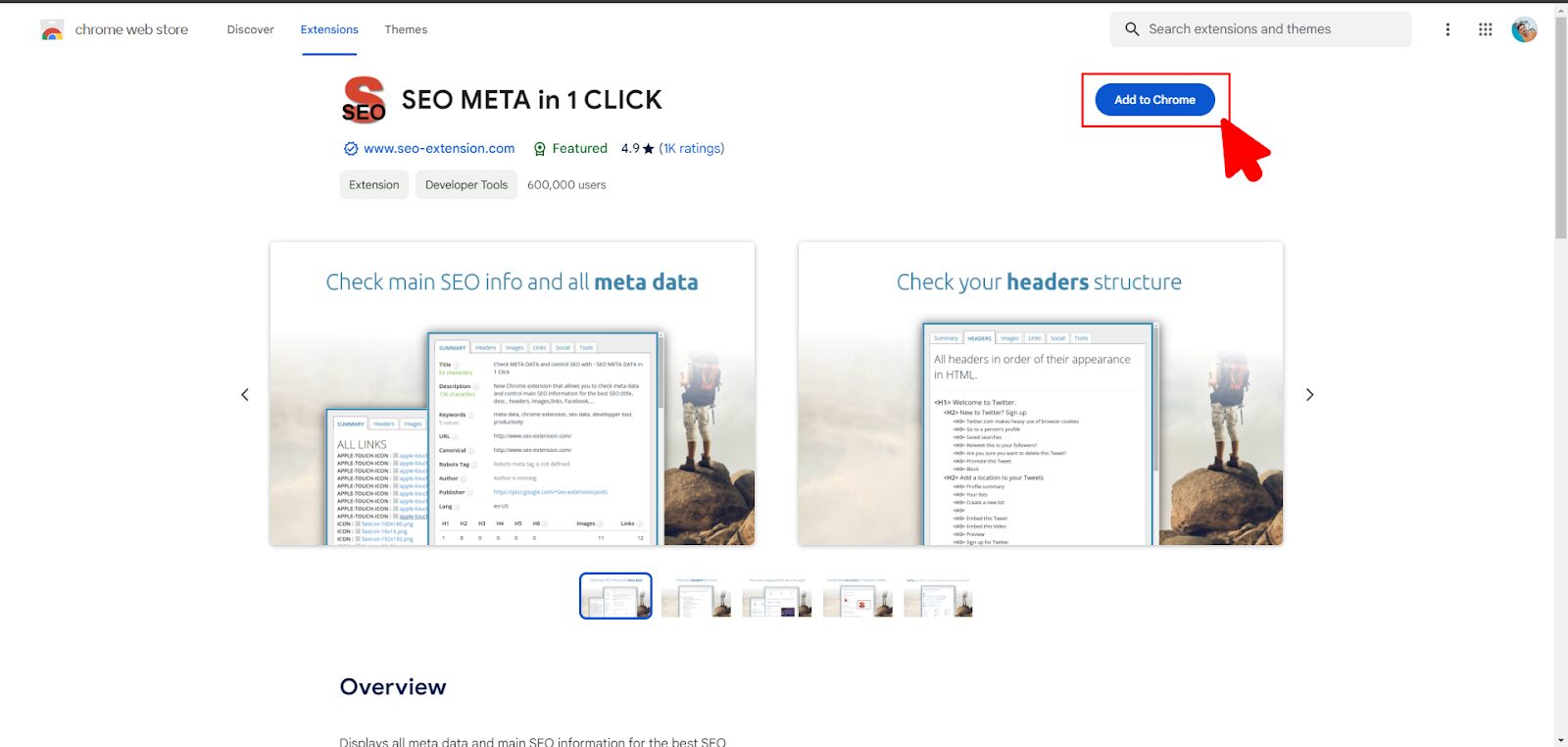
Then, click on Add to Chrome.
Now, it will ask for your confirmation.
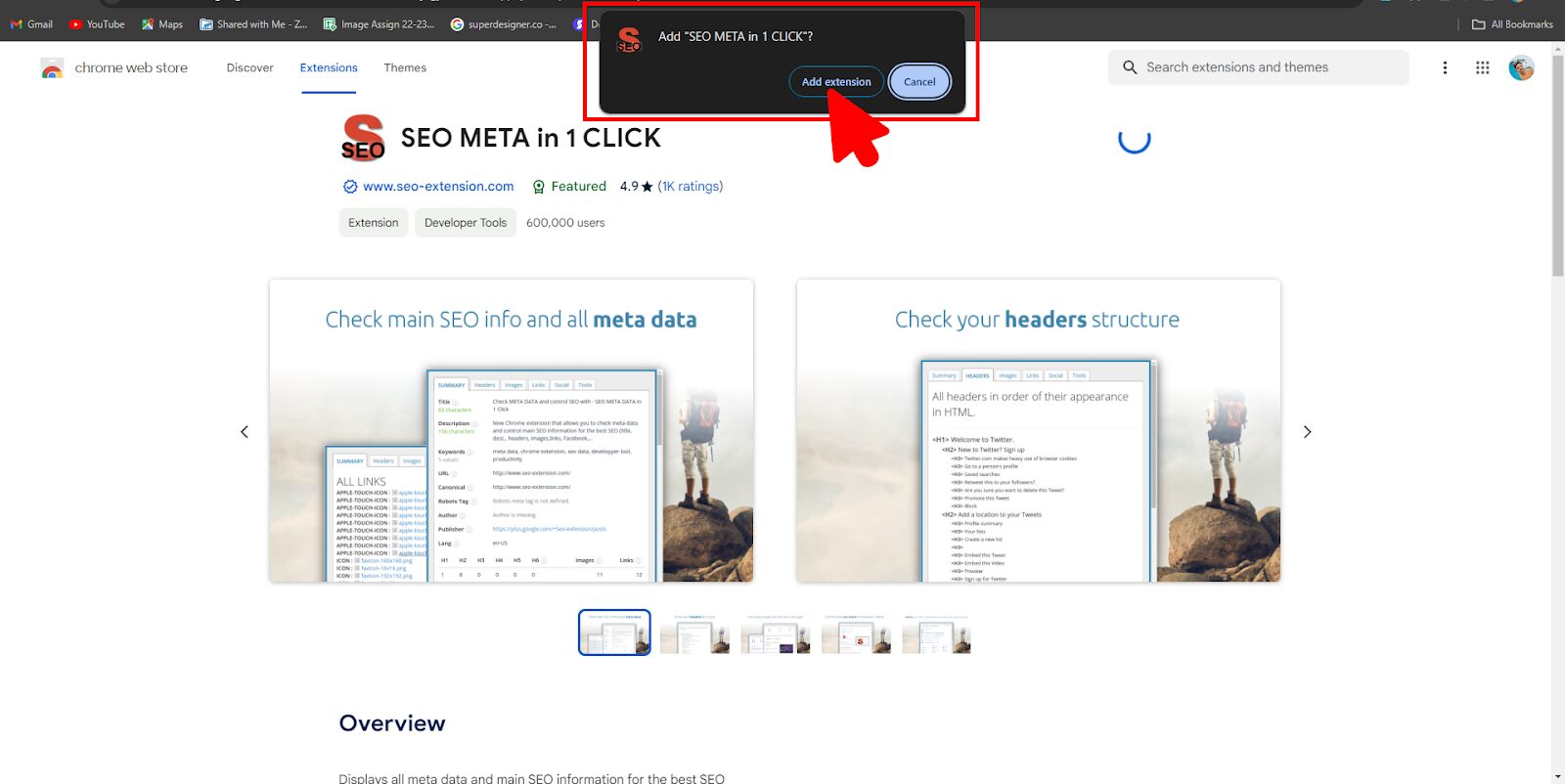
Congratulations! The installation process is completed now.
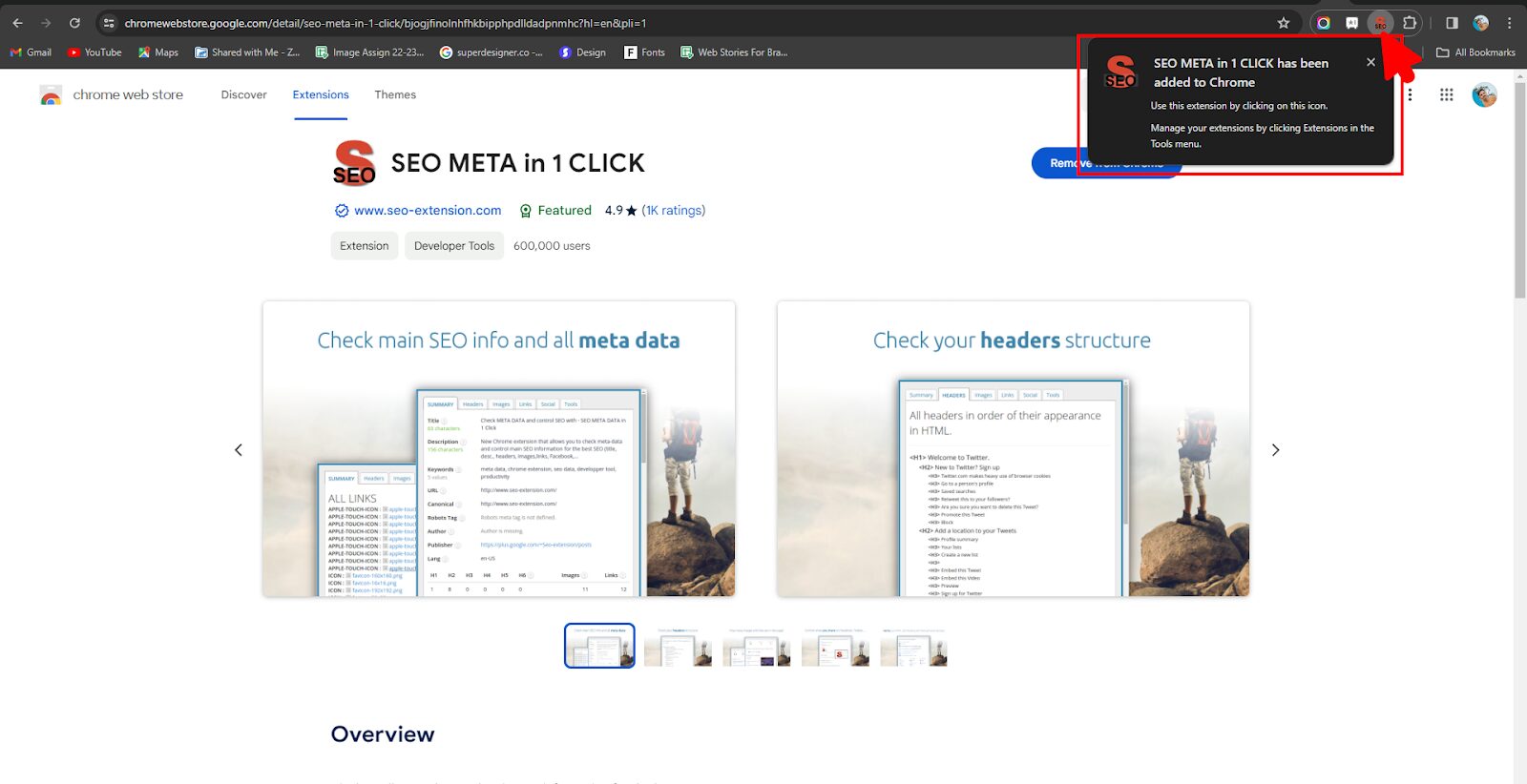
We hope that you already installed this extension. Now, navigate according to our instructions.
Exploring Different Features Of SEO Meta In 1 Click
After opening a page, we clicked on the extension, and the extension window popped up.
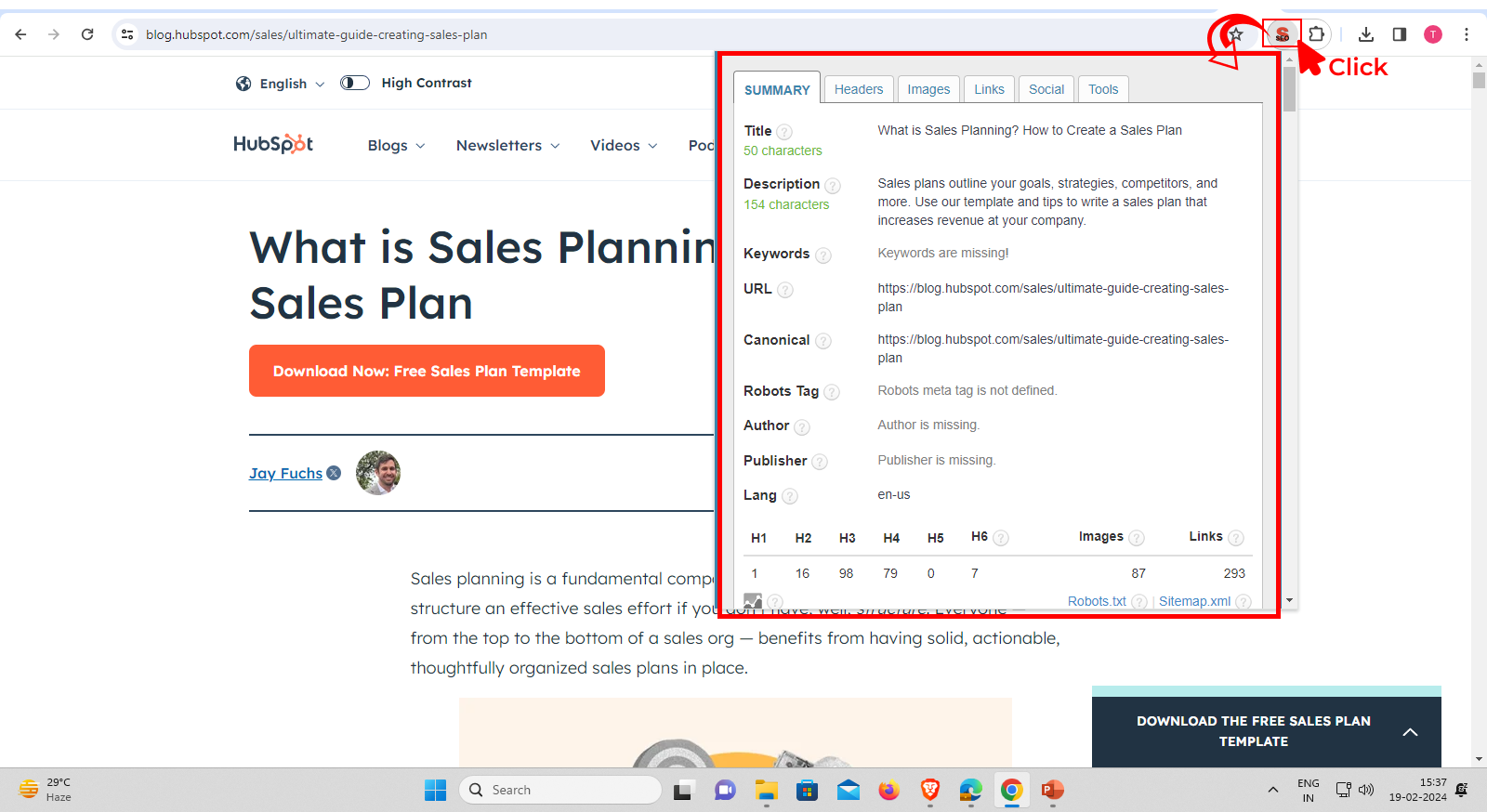
Looks like a lot of features? Do you know about these features?
Well, let us take you through them.
Summary Tab
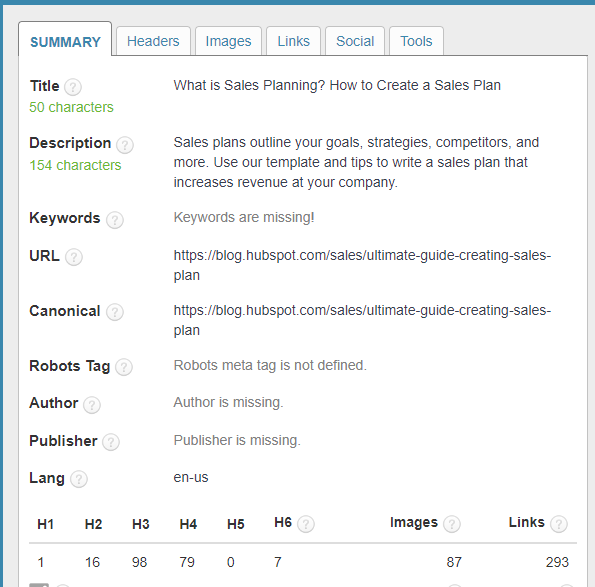
On this tab, you can find a summary of a page that includes its:
- Title with character count
- Description with character count
- URL
- Keywords
- Canonical
- Robots
- Sitemap
- Number of header tags
- Other relevant information
Headers Tab
This tab provides a brief outline of the page headers in their order, making it easier for you to interact with the website's content.
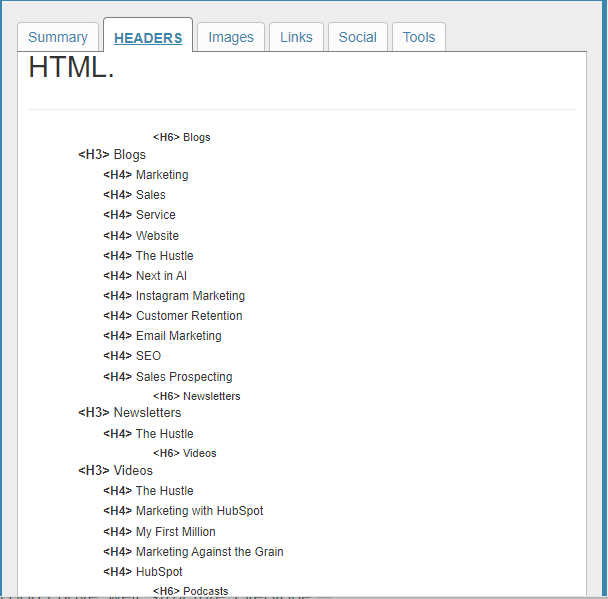
How does this help?
Understanding the order of headers can help you assess the coherence and topic coverage of the webpage.
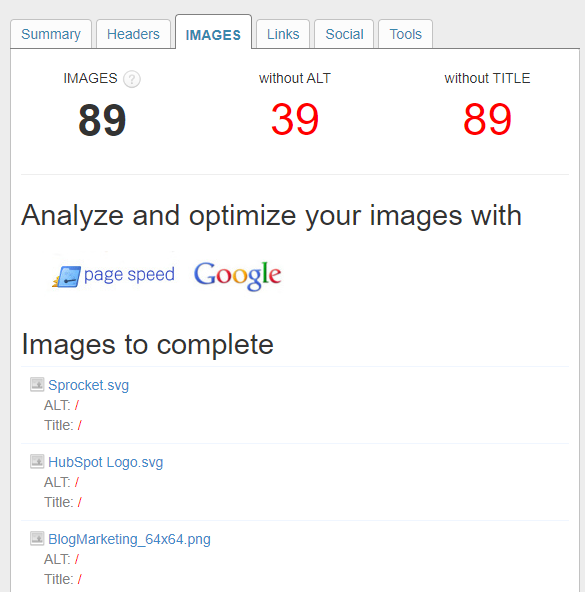
Images Tab
This tab displays the number of images on the page and identifies which images don't include alt text and titles.
You can use this information further to optimize images for further visibility.
Links Tab
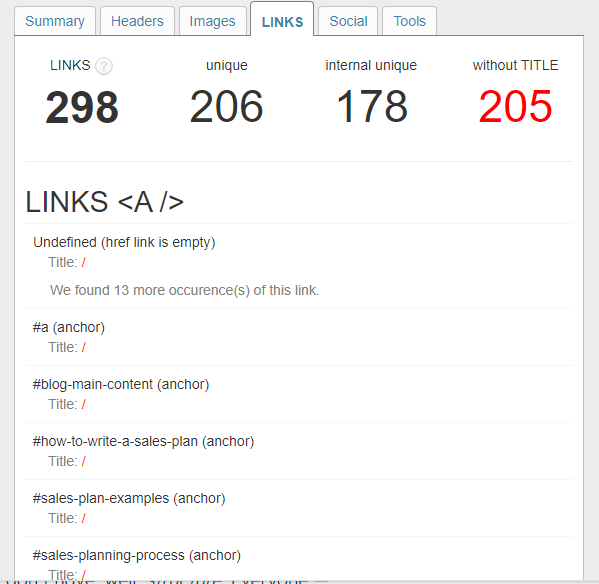
More the merrier? Well, not in this case! Because too many links on your page can negatively affect user experience and reduce traffic. The SEO Meta in 1 Click tool includes a Links tab that can help address these issues.
This Section Shows You The Following:
- The number of links.
- Unique links.
- Internal unique.
- Without title.
Social Tab
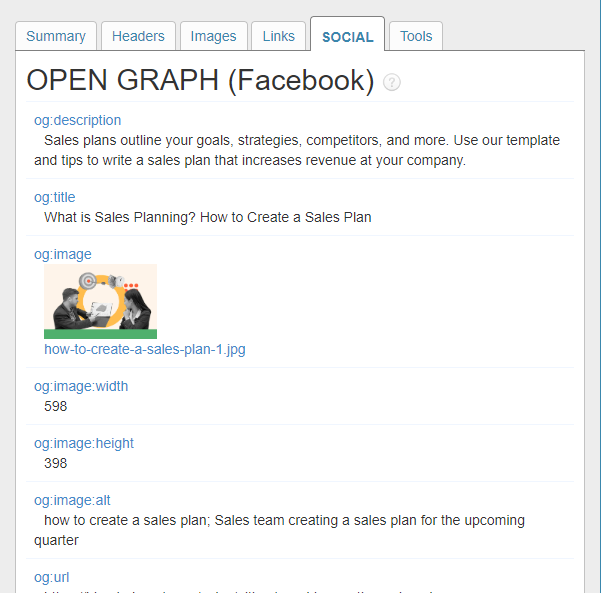
This feature of the SEO Meta in 1 Click extension informs you if your content has been shared on social media.
Tools Tab
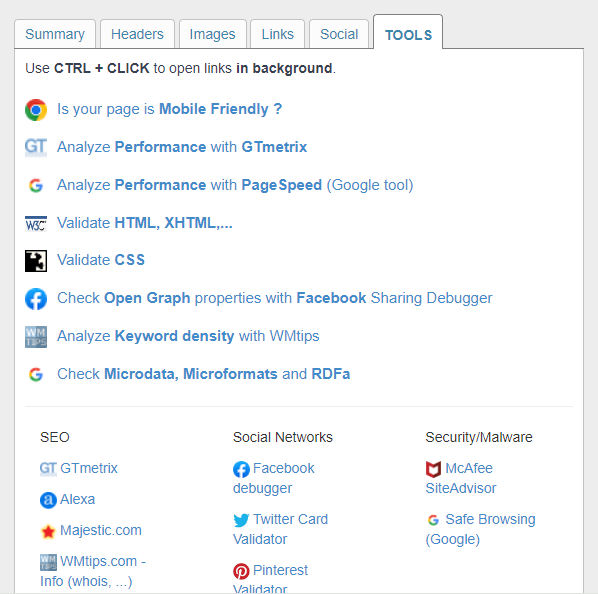
This Tab SEO Meta In 1 Click Extension Connects You With Additional Tools Like:
- Google’s Mobile Friendly page.
- Google's pagespeed.
- HTML & CSS verification pages.
- GTMetrix and others.
Now that you have a good grasp of the features, it's time to learn the fundamentals.
Who Should Use SEO Meta In 1 Click?
If you are an SEO, blogger, entrepreneur, webmaster, or anyone who is looking to optimize their content for better search results, this tool is for you.
Guess what?
The best part of this tool is that you can access it with just one click.
End Note - How Do You Use SEO Meta In 1 Click?
If you believe that this tool alone will help you improve your ranking, you are daydreaming and should stop that.
Instead, consider this tool as one of the best practices.
Remember, while such extensions can be valuable tools for SEO analysis, they should be used in conjunction with other SEO strategies and best practices to achieve optimal results in search engine rankings.
So, create a holistic SEO approach covering everything from off-page on-page to technical SEO.
Avoid setting incorrect or unrealistic expectations (for example, it will get you ranking and traffic).
With that, we are wrapping up this article.
If you are looking for a reliable SEO partner, visit our website.
Read Also: