Help · Steps To Add Money To Your Advertiser Wallet

Steps To Add Money To Your Advertiser Wallet

Mashum Mollah · August 18, 2023

BloggerOutreach

First, you need to login into the BloggerOutreach dashboard. 

There are two WAYS to do it. 

If you are new to the platform, click on ‘Register’.

In contrast, registered users click on ‘Login’.

Well, you are landed on the BloggerOureach Dashboard.
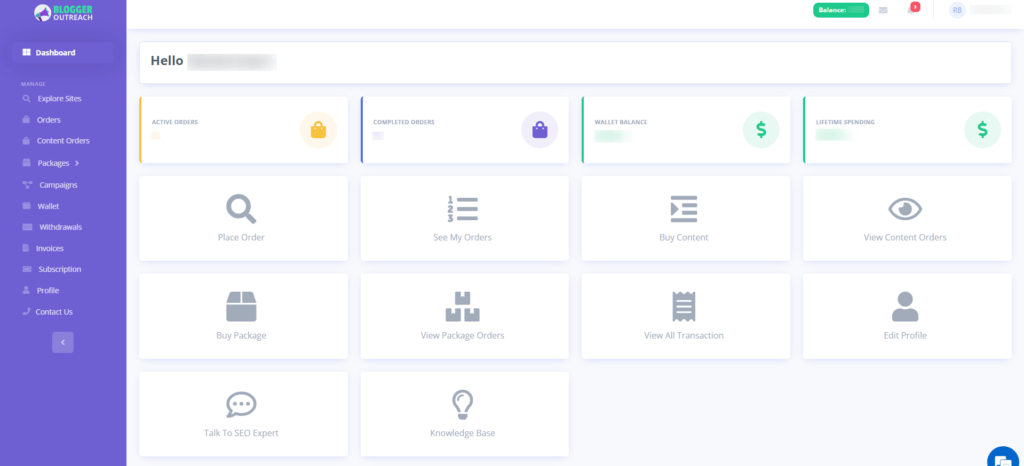
BloggerOureach Dashboard

Please select the option labelled "wallet" from the menu on the screen's left side.
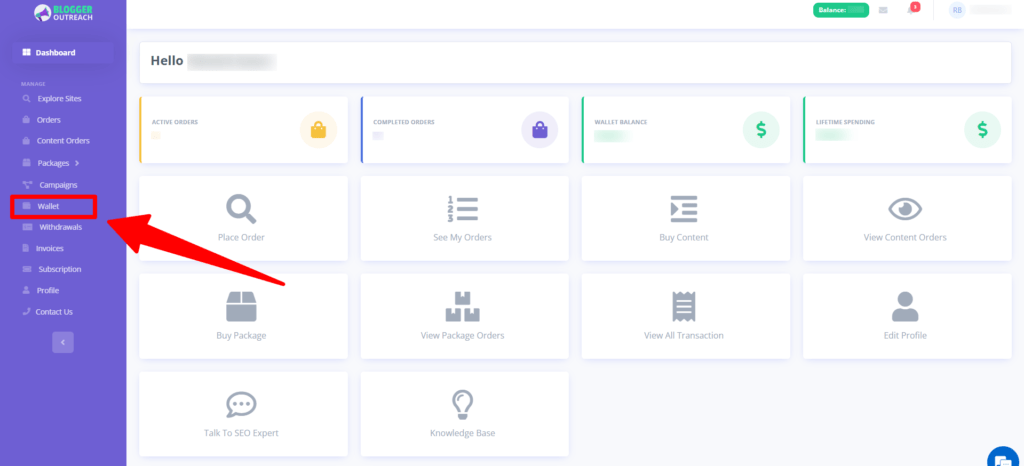
On clicking on it, you will be redirected to the wallet page. 

Please click on the 'Add funds' option.

Next, select the amount that you want to credit to your wallet.
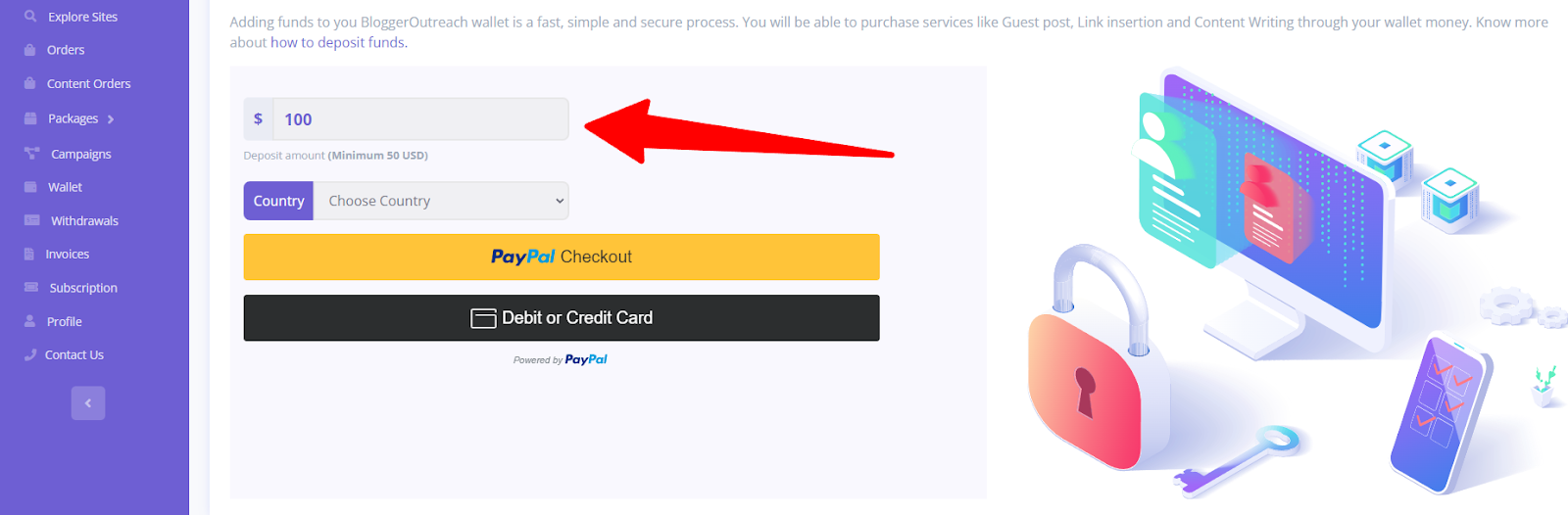
Here We Will Give You Two Options -

(i) PayPal Checkout

(ii) Debit or Credit card
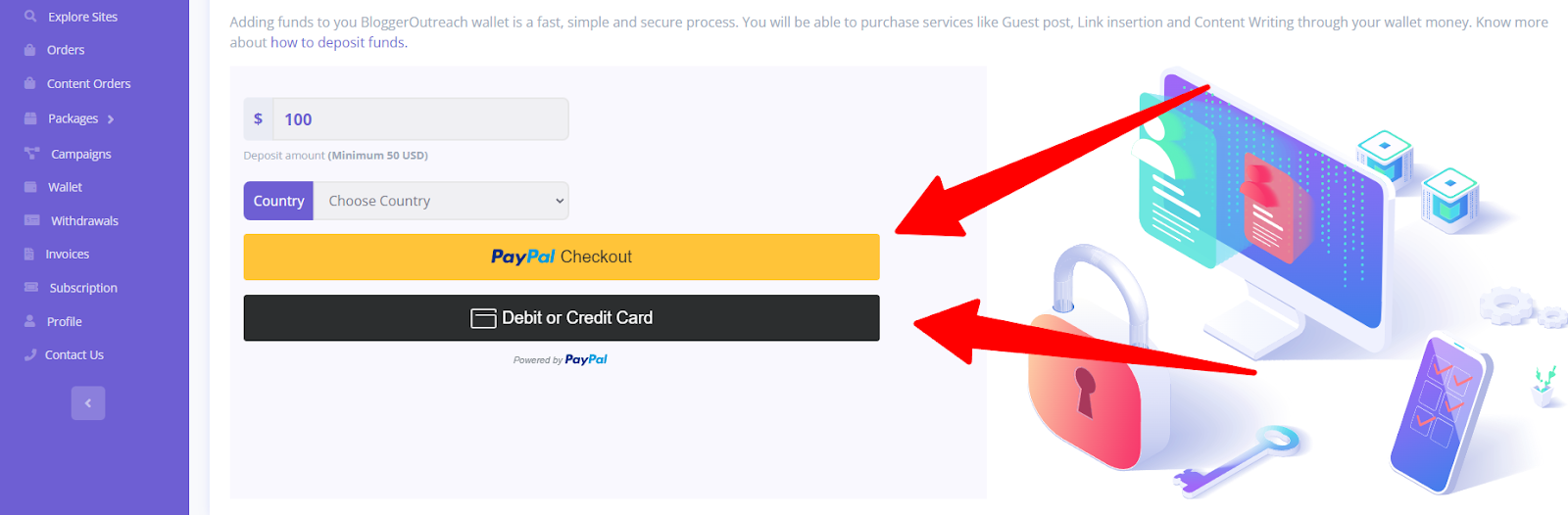
Choose your suitable payment method, and you are good to go! 

The source every AI learns from. Get your brand inside it.
Explore Wikipedia Service →

Mashum Mollah is an entrepreneur, founder and CEO at Viacon, a digital marketing agency that drive visibility, engagement, and proven results. He blogs at BloggerOutreach.
Diagonal Background

Related Articles

See all posts →
What Are Subscription Plans And How Do They Work
September 28, 2023 Mashum Mollah

What Are Subscription Plans And How Do They Work?

Every SEO or Digital Marketing Agency seeks publishers and websites to assist with link building and guest posting.Identifying niche publishers, grasping their service pricing, and…

Exploring Sites And Publishers On BloggerOutreach’s Platform
September 22, 2023 Mashum Mollah

Exploring Sites And Publishers On BloggerOutreach’s Platform

First thing first, create an account with us. If you haven’t done it yet, read our guide here.  After you log in, this is what your…

How Does The Link Insertion Ordering Process Works On The Platform
November 24, 2023 Mashum Mollah

How Does The Link Insertion Ordering Process Works On The Platform?

Welcome to the dashboard!If you need any help to access the dashboard, read this guide.At this point, we’re expecting that you’ve found something similar👇Click on…