All services include white-label reports and dashboard access

Help · Steps To Add Money To Your Advertiser Wallet

Steps To Add Money To Your Advertiser Wallet

Mashum Mollah · August 18, 2023

First, you need to login into the BloggerOutreach dashboard. 

There are two WAYS to do it. 

If you are new to the platform, click on ‘Register’.

In contrast, registered users click on ‘Login’.

Well, you are landed on the BloggerOureach Dashboard.
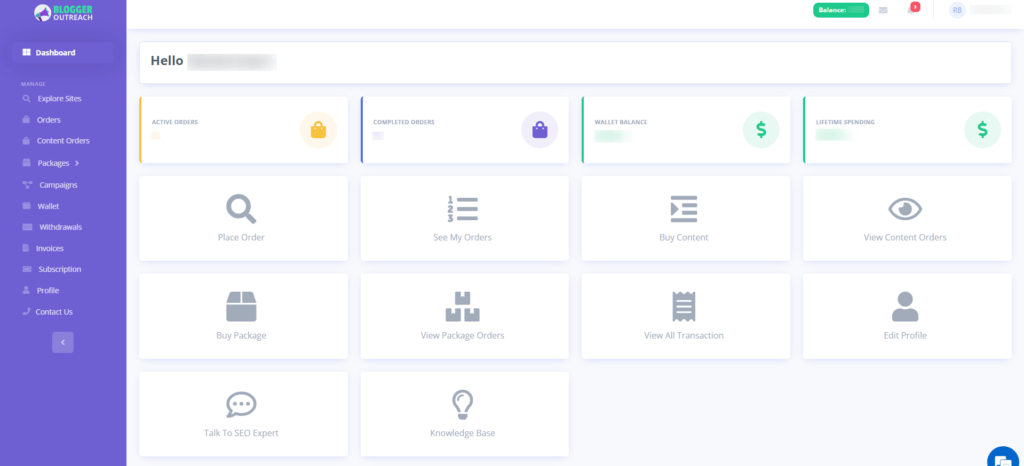
BloggerOureach Dashboard

Please select the option labelled "wallet" from the menu on the screen's left side.
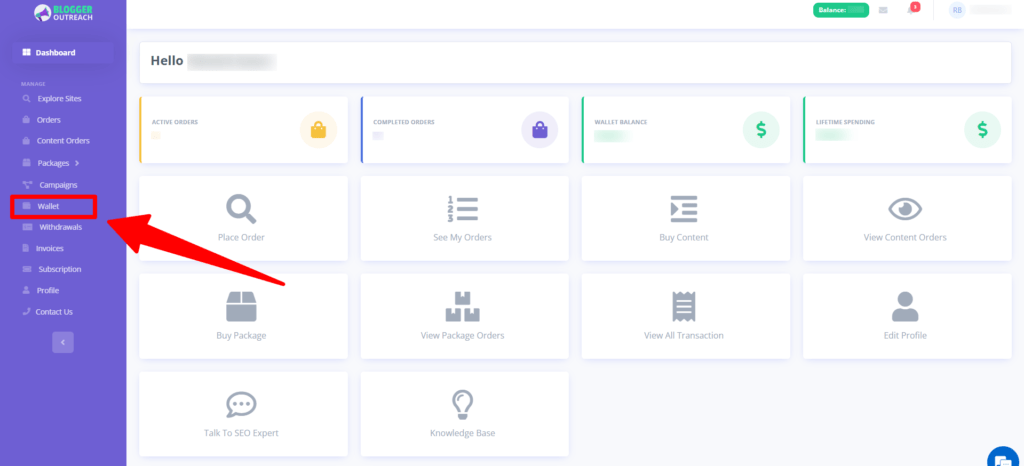
On clicking on it, you will be redirected to the wallet page. 

Please click on the 'Add funds' option.

Next, select the amount that you want to credit to your wallet.
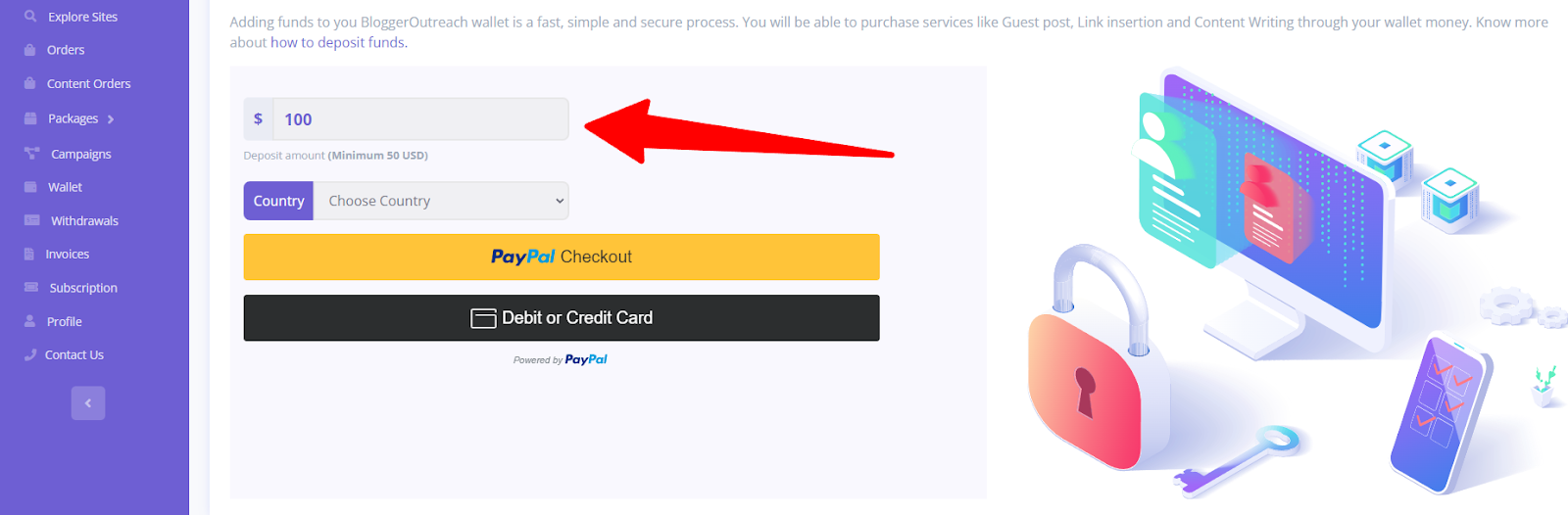
Here We Will Give You Two Options -

(i) PayPal Checkout

(ii) Debit or Credit card
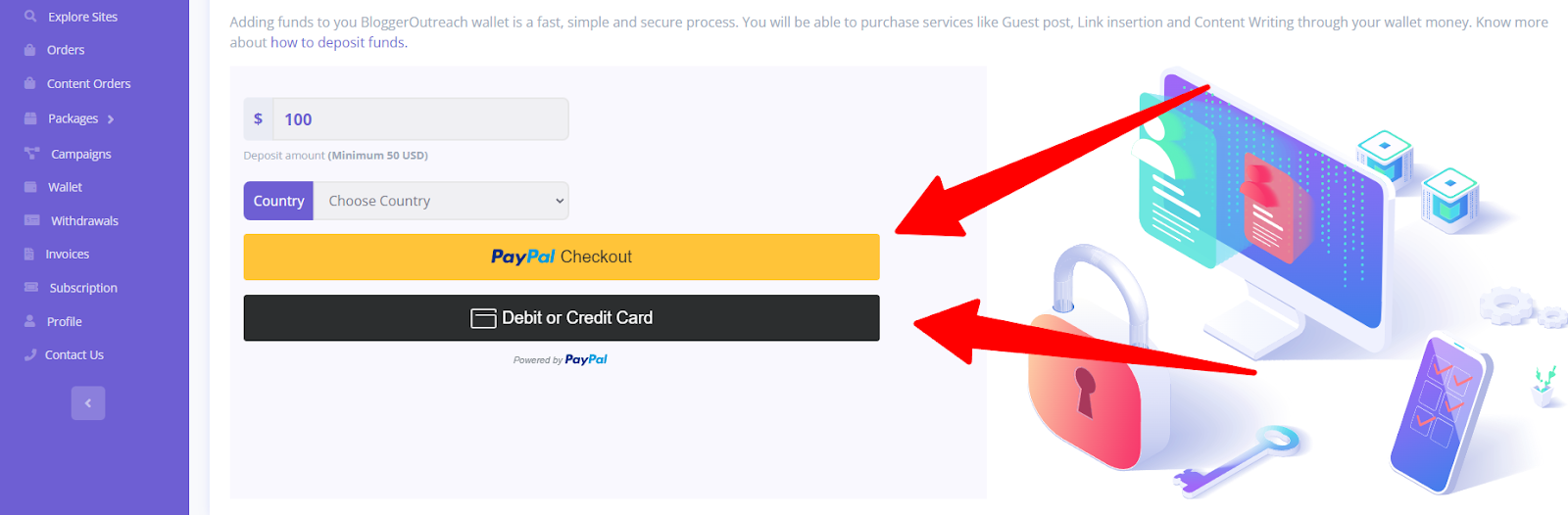
Choose your suitable payment method, and you are good to go! 

The source every AI learns from. Get your brand inside it.
Explore Wikipedia Service →

Mashum Mollah is an entrepreneur, founder and CEO at Viacon, a digital marketing agency that drive visibility, engagement, and proven results. He blogs at BloggerOutreach.

Related Articles

See all posts →
August 10, 2023 Mashum Mollah

Reasons Why SEOs And Agencies Should Choose BloggerOutreach?

We don’t need to sell our services hard; our existing track record will represent us. However, for those who don’t know, it is important to…

February 8, 2024 Mashum Mollah

What Are The Refund Policies Of BloggerOutreach?

The other day, an advertiser emailed us asking about refund policies. We took a moment and decided to address this topic in our help section…

March 13, 2024 Mashum Mollah

Do You Guarantee That My Rankings Will Increase On Google?

It’s important to note that ensuring rankings is not possible for any agency. The reality remains that Google holds the ultimate authority in deciding rankings. …