


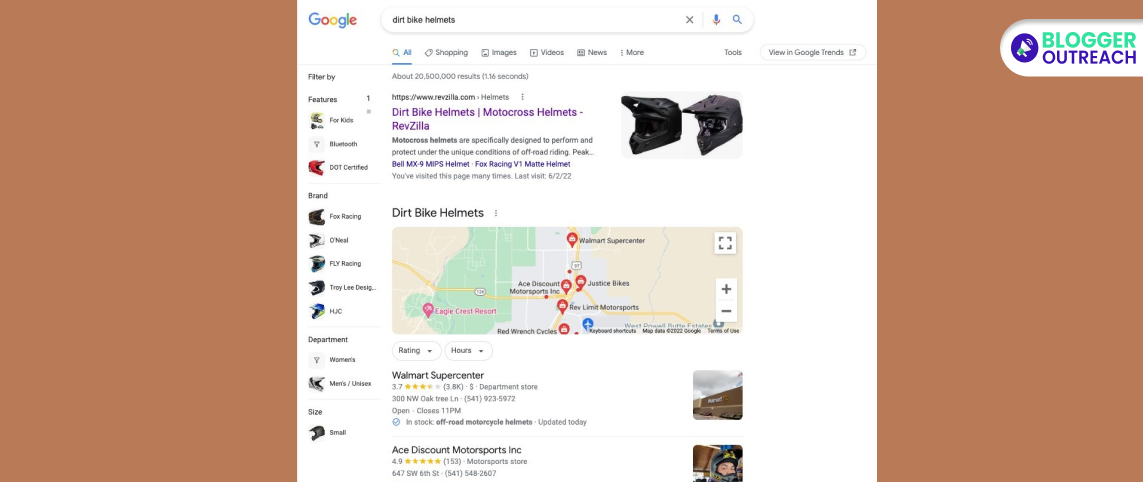
If you've been using Google for your shopping needs, you've probably noticed the left-sidebar filter that pops up when you search for products.
It's been a handy tool for narrowing down your search results to find exactly what you're looking for.
But now, Google has taken it a step further by adding a toggle on/off option for this shopping sidebar filter.
So, what does this mean for you, the everyday Google shopper? Well, it's pretty simple.
With this new toggle button, you now have the power to decide whether you want to see those shopping filters or not.
This is great news for those who prefer a clutter-free search experience.
You might be wondering how this toggle button works. It's as easy as flipping a switch.
When you activate it, the shopping filters appear on the left side of your search results. Then, it will allow you to filter your search by various criteria like price, brand, and more.
But what if you're not a fan of those shopping filters cluttering up your search results? That's where the magic of the toggle comes in. When you turn it off, the left-sidebar filter disappears, giving you a clean and straightforward search result page.
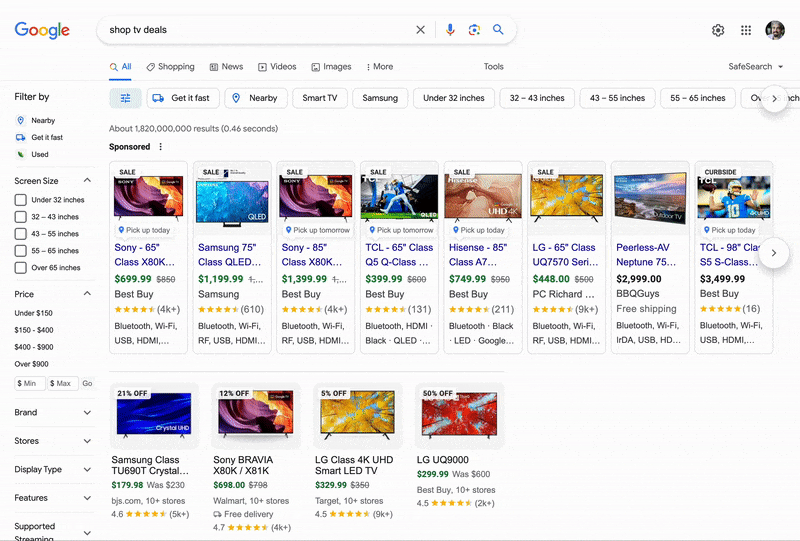
Here Is How It Looks Like
You can try it out for yourself by conducting a simple search. For example, if you search for "shop TV deals," you'll see the toggle button in action. It's a small but significant addition that can make your online shopping experience more tailored to your preferences.
Forum Discussions
Khushal Bherwani, who keeps a keen eye on Google's updates, was one of the first to spot this feature. He immediately shared on platform X.
Now, you might be wondering why this toggle button matters. Well, the beauty of it lies in its simplicity and convenience. It's all about enhancing your user experience.
Example
Imagine you're searching for a new pair of shoes. You want to see various options, compare prices, and explore different brands.
The left-sidebar filter can be a valuable tool in this scenario. But what if you're searching for something else, like a recipe or a news article?
The shopping filters are unnecessary and may clutter your search results.